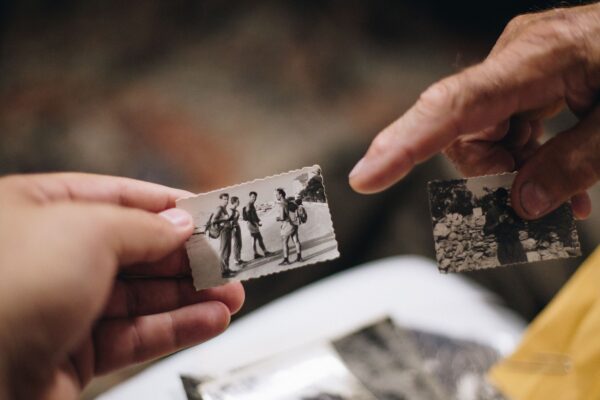
You arrive, you ask how lunch was, and Mum tells you. Fish, again. Then you both look out the window for a bit. Anyone who visits a parent in aged care knows that pause. It isn’t that there’s nothing to say. The usual news just runs out quickly when most of it is about lunch.
The fix is small: give the two of you something to do. The aged care visit ideas that work best follow the same pattern. Bring something in, ask about it, and let the conversation go where it goes. Here are a few things to do when visiting a parent in aged care, and simple ways to keep what comes out of them so the stories reach the rest of the family.
Bring one thing
Not a box. One thing. It’s easier to talk about something on the table than to make conversation out of thin air.
- A photo, ideally with a face or two you can’t place. “Who’s that?” is a great question when you genuinely don’t know. Here’s how to keep the story with an old photo.
- A recipe card, preferably in their handwriting. Ask who taught them, and who in the family never got it right.
- A song from their era, queued on your phone. Play it quietly and see what it’s attached to: a dance hall, a car radio, a Saturday kitchen.
- Something from the shelf at home: the ornament that’s been there your whole life and that you’ve never once asked about.
A lot of what gets called reminiscence activities for elderly parents comes down to this: something to look at or listen to, and a question about it. Bring something different each week. It beats racking your brain in the car park.
Ask one question that starts a scene
“What was it like growing up?” gets a shrug. “What did your street look like when you were ten?” gets the street, the neighbours and the dog that had it in for the postie. Questions that point at a place, a person or a first time tend to arrive with a story attached. There’s a list of questions to ask your grandparents and parents, grouped by life chapter. Pick one per visit. It’s a visit, not an interview.
Record with permission, and only them
If something good comes out, you’ll want to keep it. Ask first: “Do you mind if I record this so I don’t get it wrong later?” If they’d rather not, put the phone away. There’s always next week.
If they’re happy to, open the right chapter of the story in the A Moment With app, tap + and choose Voice Note. The add screen shows which story and chapter it’s going into, so the recording lands where it belongs rather than in a voice memo app between two shopping lists. Voice is an easier ask than video: nobody fusses about their hair, and after a minute the phone is just another thing on the tray table. If you brought a photo, snap it with the Camera tile and add it to the same chapter, so the picture and the story stay together.
Keep the recording about your parent. Other residents and the staff haven’t signed up to be in your family’s story, so keep them out of shot and out of earshot, and check the home’s rules on photos and recording. It’s easier to ask at the front desk on the way in than halfway through a good story.
Follow their lead
Some days the story comes and some days it doesn’t. Some days it comes with the dates shuffled, or with your uncle somewhere he swears he never was. You’re there to listen, not to fact-check. If this week’s version differs from last month’s, keep both and let the family argue about it later. If a question doesn’t land, go back to lunch.
Bring the family in from afar
The grandkids in Perth can’t drop in on a Tuesday, but they can answer a link. Request a Moment turns one question into a link you send however you like: the family group chat, a text, an email. Ask something like “What’s something Nan taught you?” Start it from a story you own, with the Request tile in the app or the Request a Moment button on the web.
They answer by voice, video, photo or a few written lines in their phone’s browser, with no app to install and no account to make, and can add their name so you know who it’s from. Nothing goes into the story until you’ve seen it and tapped Add to story. A request for One person takes up to five answers, which suits two or three grandkids sharing it. Set it up on the web and you can raise Max replies to 20 for a bigger group chat. On the free plan each request counts towards your five, so one shared link goes further than one each. Here’s how Request a Moment works from both ends.
If Mum’s birthday falls between visits, add it under Upcoming and start a request from the date. The question comes pre-filled as a birthday greeting, and the link takes up to 20 answers. There are more birthday message ideas here.
On your next visit, open the story and press play (it’s the Play story button on the web). It plays the moments one after another: the photos, the voice messages, and the eight-year-old’s slightly too long video about her guinea pig. Mum doesn’t need an account to watch over your shoulder.
Share the load with your siblings
Visiting usually falls to whoever lives closest, and they end up holding all the stories. Invite your brothers and sisters to the story as Editors, using Invite people on the web or the Add tile in the story’s people row in the app. Editors can add chapters and moments, so whoever visits adds that week’s moment, whether it’s a voice note about the 1974 caravan trip or a photo of the card from the neighbours. Everyone else sees it without waiting for the next family phone call.
Each sibling needs an A Moment With account; the free plan is fine. On the free plan a story holds you and up to five people, which covers most sets of siblings. Start the story with the Memory category and it comes with five chapters, starting with Early Life, each with suggested questions for the days your mind goes blank.
Keep it Private
A life story told in aged care can get personal: a flat week, a frank opinion about the food. Set the story to Private, so only you and the people you add to the story can see it. New stories start on People, which shows them to your connections. Pick Private as you create the story on your phone, or change it any time from the story’s sharing settings on the phone or the web. Here’s more on who can see your stories.
Optional: a one-page “about me” for the room
This one’s paper, not an app thing. Some families print a single page for the room: a photo, where they grew up, the job they did, their footy team, how they take their tea. It gives a new carer or a visiting cousin something to talk about besides lunch. Keep it to what your parent is happy to have on the wall, and if the home has its own form, use that.
Keep these aged care visit ideas small
None of this needs to be a project. One thing in your bag, one question, a recording if they’re happy to, and a link to the grandkids now and then. A few months in, you’ll have a story the family can play back, and more to talk about than lunch.
A Moment With is free to start on iPhone, Android and the web. The free plan includes up to 5 stories and 5 requests with Request a Moment; Premium, from A$9.99 a month, lets you send as many as you like.
Prefer the app? Get A Moment With on the App Store or Google Play.